


Free
$0 a month ₹0 a month
5,000 opens a month
For a first campaign, a small list, or proving the idea works before you ask for budget.
Start freeYour sale ends Friday at midnight. Show every subscriber how long they have left.
Send on Wednesday, and whoever opens at 23:58 on Friday sees two minutes on the clock. From Growth up, a recipient list or the API puts each person's name, tier or points in the picture too. It works inside Klaviyo, Mailchimp, HubSpot or whatever you already send with.
Free for 5,000 opens a month, with no card. Or start without an account: the free email countdown timer generator makes a timer that works for 500 opens, or 1,000 once you sign in and claim it.
Sonos Flash sale email



Works with the email platform you already use
EmailTimer.App makes countdown timers and personalized images for email campaigns, for any platform that can show an image. All 21 email platforms
Fifteen more campaign emails as their brands sent them, each with an EmailTimer.App countdown set where the brand's own designer would put one. Switch any of them to Original to see the email as it arrived.
Flash sale


Email by Ferrari, shown as they sent it. The countdown timer was added by EmailTimer.App for illustration. Ferrari is not an EmailTimer.App customer.
See the whole email: FerrariAbandoned cart


Email by Gantri, shown as they sent it. The countdown timer was added by EmailTimer.App for illustration. Gantri is not an EmailTimer.App customer.
See the whole email: GantriProduct launch


Email by Nothing, shown as they sent it. The countdown timer was added by EmailTimer.App for illustration. Nothing is not an EmailTimer.App customer.
See the whole email: NothingProduct launch


Email by Microsoft, shown as they sent it. The countdown timer was added by EmailTimer.App for illustration. Microsoft is not an EmailTimer.App customer.
See the whole email: MicrosoftEvent


Email by Miro, shown as they sent it. The countdown timer was added by EmailTimer.App for illustration. Miro is not an EmailTimer.App customer.
See the whole email: MiroEvent


Email by SXSW EDU, shown as they sent it. The countdown timer was added by EmailTimer.App for illustration. SXSW EDU is not an EmailTimer.App customer.
See the whole email: SXSW EDUBirthday


Email by Nintendo, shown as they sent it. The countdown timer was added by EmailTimer.App for illustration. Nintendo is not an EmailTimer.App customer.
See the whole email: NintendoHoliday


Email by LEGO, shown as they sent it. The countdown timer was added by EmailTimer.App for illustration. LEGO is not an EmailTimer.App customer.
See the whole email: LEGOHoliday


Email by McDonald's, shown as they sent it. The countdown timer was added by EmailTimer.App for illustration. McDonald's is not an EmailTimer.App customer.
See the whole email: McDonald'sShipping cutoff


Email by AWAY, shown as they sent it. The countdown timer was added by EmailTimer.App for illustration. AWAY is not an EmailTimer.App customer.
See the whole email: AWAYTrial ending


Email by Zapier, shown as they sent it. The countdown timer was added by EmailTimer.App for illustration. Zapier is not an EmailTimer.App customer.
See the whole email: ZapierLoyalty


Email by Hydro Flask, shown as they sent it. The countdown timer was added by EmailTimer.App for illustration. Hydro Flask is not an EmailTimer.App customer.
See the whole email: Hydro FlaskBack in stock


Email by Caraway, shown as they sent it. The countdown timer was added by EmailTimer.App for illustration. Caraway is not an EmailTimer.App customer.
See the whole email: CarawayTravel deal


Email by Going, shown as they sent it. The countdown timer was added by EmailTimer.App for illustration. Going is not an EmailTimer.App customer.
See the whole email: GoingEarly access


Email by Mammut, shown as they sent it. The countdown timer was added by EmailTimer.App for illustration. Mammut is not an EmailTimer.App customer.
See the whole email: MammutAn email countdown timer is an animated GIF that shows the time left until your deadline, drawn by a server at the moment a mail app asks for it. Email cannot run scripts, so the picture does the counting, a second per frame, 30 frames by default, then loops. All your email platform has to do is show an image.
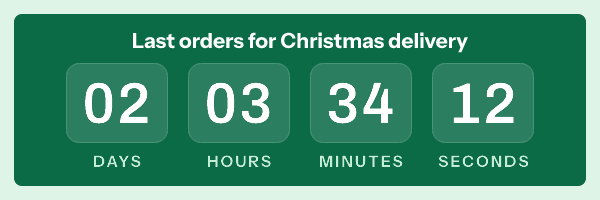
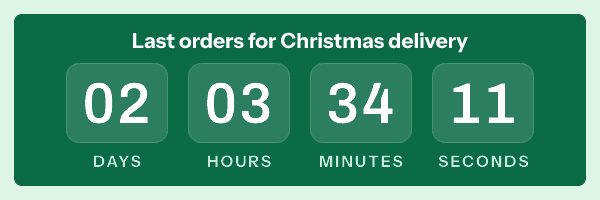
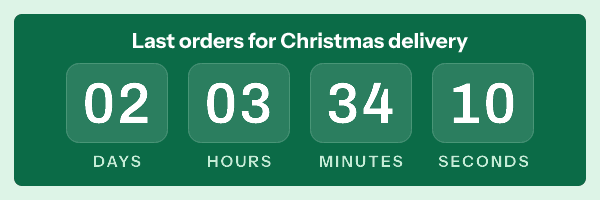
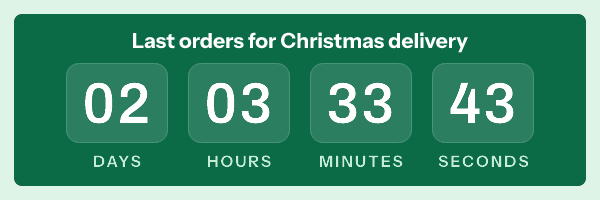
A deadline in words is easy to put off until tomorrow. The same deadline as hours and minutes, ticking in the email, is a reason to act now. It only works while it is true, so the clock never resets for a late opener.
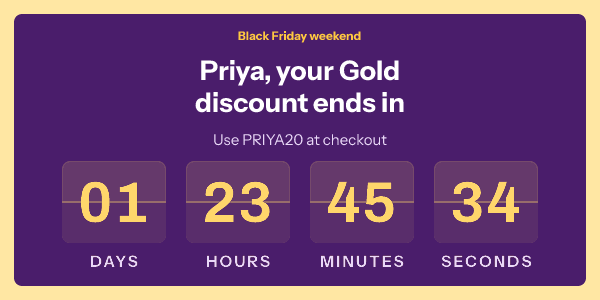
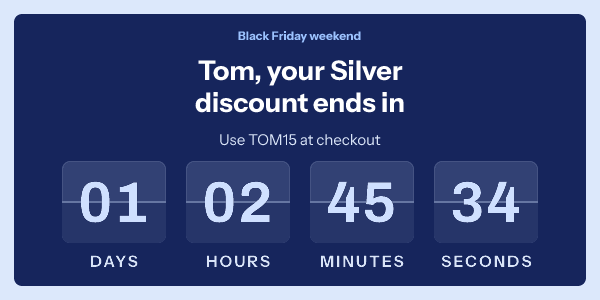
Upload first names, tiers and codes as a recipient list on Growth or Agency, and one campaign draws each person's own values into their picture. Priya and Tom got the same Black Friday email, each with their own name, tier, code and deadline. Six segments no longer mean six copies of the same email.
The snippet is an ordinary image tag, and it goes in the row where the email would hold a banner. If you can add a banner to a campaign, you can add a countdown, and no developer has to review it.
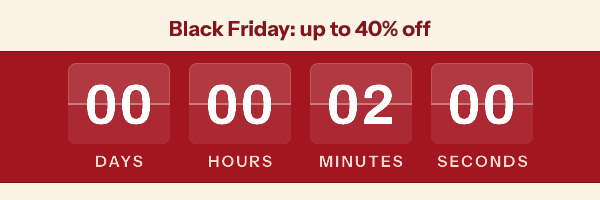
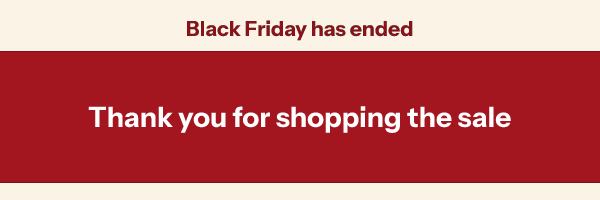
When the deadline passes, the picture becomes the closing graphic you picked before sending. Opened at 23:58 on Sunday, the Black Friday banner reads two minutes. Opened on Monday morning, the same image shows the sale has ended, not a clock stuck on zero.
Most sales need the first row: one deadline for everybody. The other five are for when the end moves, for each subscriber, for each send or on a schedule. Every time is read in the template's time zone, such as Europe/London.
A clock for each person needs an image address for each person, which comes with Growth and Agency.
| Timer type | Good for | Plans |
|---|---|---|
| A date and time A sale or a webinar with one real end for everyone | A sale or a webinar with one real end for everyone | Every plan |
| A date from your list A cart hold or a trial that ends on each person's own date | A cart hold or a trial that ends on each person's own date | Growth and Agency |
| A countdown that starts on first open A launch window that opens with the first fetch of the campaign | A launch window that opens with the first fetch of the campaign | Every plan, one clock per image address |
| A countdown that starts at send An evergreen offer that Apple Mail's early fetch cannot move | An evergreen offer that Apple Mail's early fetch cannot move | Growth and Agency |
| Counting up from a date Days since an order or a launch | Days since an order or a launch | Every plan |
| The same time every week or month An order cut-off every Sunday at 18:00, or a bill due on the 1st of the month | An order cut-off every Sunday at 18:00, or a bill due on the 1st of the month | Every plan |
Upload a recipient list and every row becomes its own picture. One design, with each subscriber's name, tier, code and deadline set into the pixels. A rule can pick the colours from a column, and an empty field falls back to the default you chose.

Template headline: {{first_name}}, your {{tier}} discount ends in
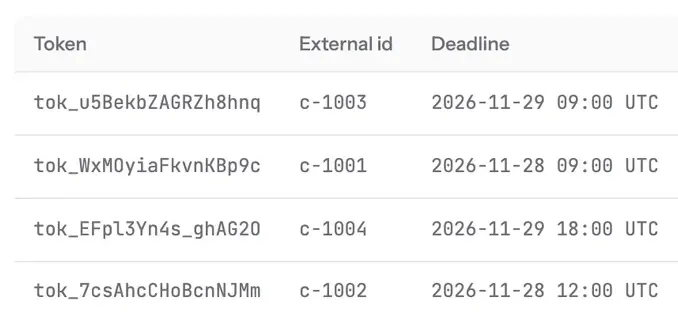
| first_name | tier | code | deadline, UTC |
|---|---|---|---|
| Priya | Gold | PRIYA20 | 2026-11-29 09:00 29 Nov 09:00 |
| Maya | Gold | MAYA20 | 2026-11-28 09:00 28 Nov 09:00 |
| Lucas | Bronze | LUCAS10 | 2026-11-29 18:00 29 Nov 18:00 |
| Tom | Silver | TOM15 | 2026-11-28 12:00 28 Nov 12:00 |
| No name on file | not set | not set | 2026-11-28 09:00 28 Nov 09:00 |
Export the columns you need from your CRM and upload them as a recipient list, or send them through the API. Each person gets their own signed image link, which you add to a contact field in Klaviyo, Braze or whichever platform sends. The link carries a short token, and the names, tiers, codes and deadlines stay in EmailTimer.App. Pictures drawn for each recipient come with Growth and Agency.
Build the timer in the editor and set its deadline, copy the snippet made for your email platform, and paste it into an image block or an HTML block. There is nothing to install.
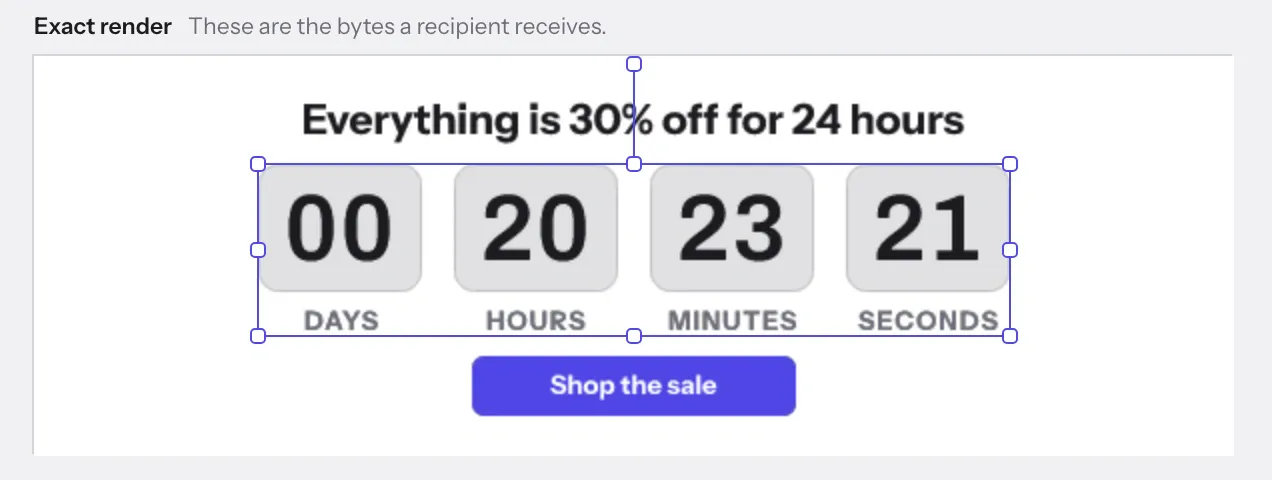
Pick a style, set the deadline and its time zone, then add a name, a code or a product line if the campaign needs one. The canvas shows the exact picture a subscriber will get.
Start from a campaign template or a blank canvas.
Choose your platform and copy the snippet. Its merge tags are already written in that platform's syntax.
<img src="https://img.emailtimer.app/i/k7mQ2pXd.gif?w=w_8ha3fq&v=3&sig=YOUR_SIGNATURE"
     alt="{{ first_name }}, your 25% off ends tonight"
     width="600" height="200" border="0"
     style="display:block;width:100%;max-width:600px;" />
21 platforms, each with a snippet in its own syntax.
Klaviyo
alt="{{ first_name }}, your 25% off ends tonight"Mailchimp
alt="*|FNAME|*, your 25% off ends tonight"HubSpot
alt="{{ contact.firstname }}, your 25% off ends tonight"Whichever platform sends it, Priya's email carries:
alt="Priya, your 25% off ends tonight"
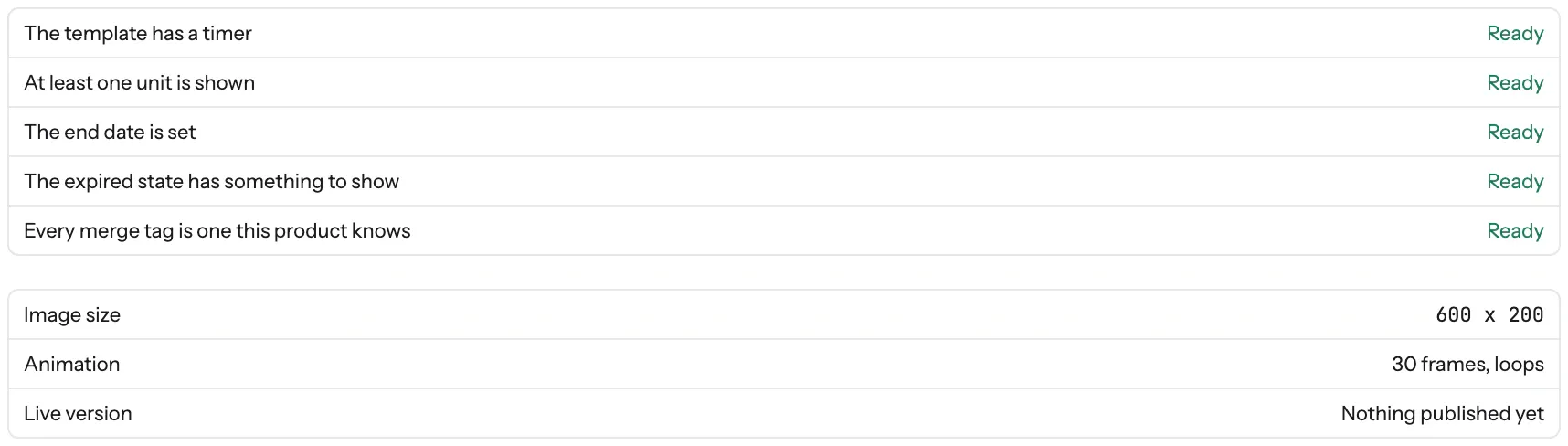
Publishing runs its checks first, so a missing end date or an unknown merge tag stops you before a subscriber sees it. Then send the campaign the way you always do, and each open gets its own picture.
The editor's canvas with the timer selected. What it shows is the exact render a subscriber gets.
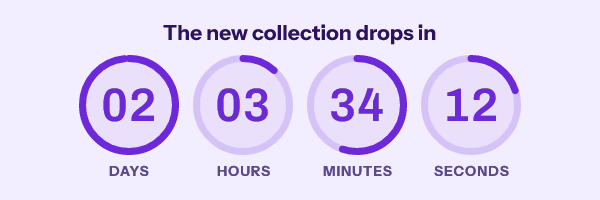
A Friday flash sale and a Christmas delivery cut-off should not share a clock. Here is one deadline in ten styles, each dressed for a campaign you probably run. The colours and the headline are yours to change in the editor.
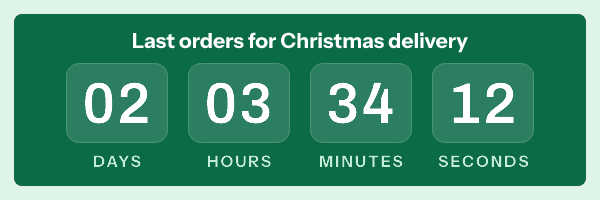
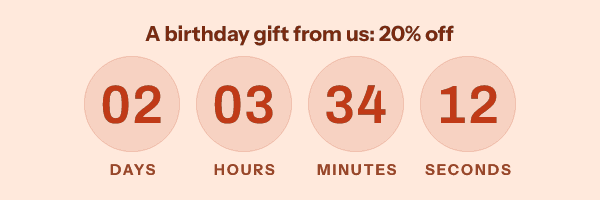
Circles
Birthday offer countdown timers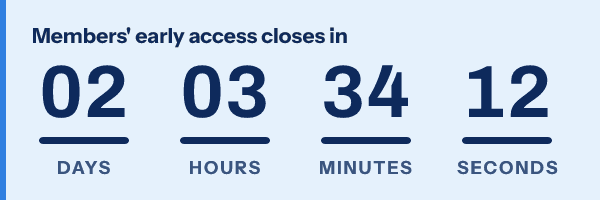
Underline
Early access
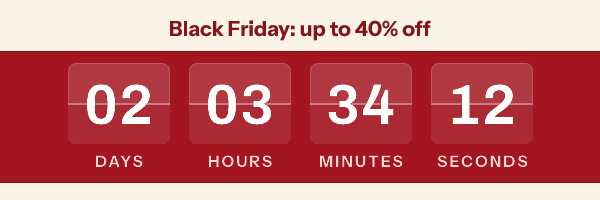
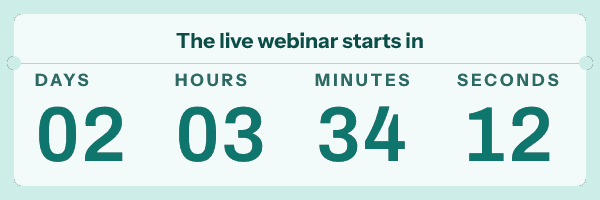
Stacked
Live webinar countdown timers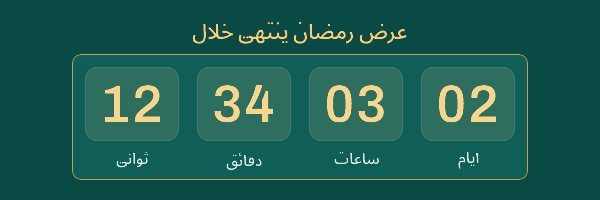
Arabic
Ramadan offer
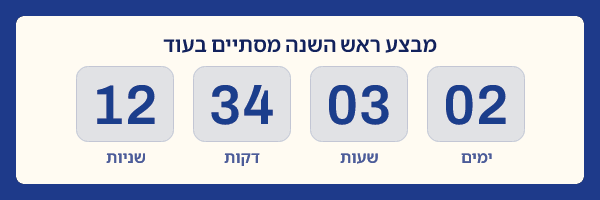
Hebrew
Rosh Hashanah sale
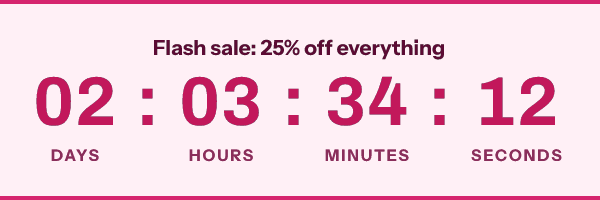
Digital
Flash sale countdown timers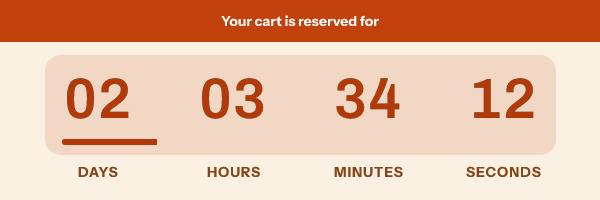
Digital and Underline are on the Free plan, and the other eight come with Starter. Right to left works for Arabic, Hebrew, Persian and Urdu lists, with the days on the right and the labels in your subscribers' language. All ten timer styles and their settings
Annotated countdown timer examples Real brand emails with a timer in them
Yes, with differences worth knowing before you send. Gmail fetches the image at the first open and may show that same copy when the email is opened again. Apple Mail, with Mail Privacy Protection on, fetches images when the email arrives, and Apple's mail apps made up 62 percent of the opens Litmus measured in July 2026, so many readers see the time that was left at delivery. Classic Outlook on Windows shows only the first frame, and that frame is drawn with the correct time left.
The deadline itself never moves; an early or kept copy only shows more time than is left. For an offer that runs from each person's own email, use a timer that starts at send, on Growth or Agency. The publish screen shows what each client will display while you can still change it.
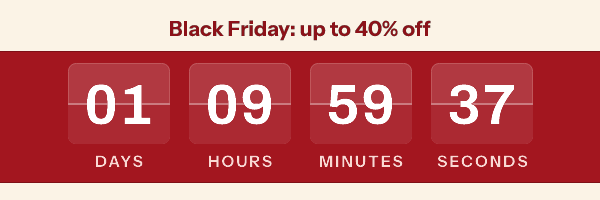
Right
Drawn when she opened it.
20 hours too many
Gmail showed its copy from the first open.
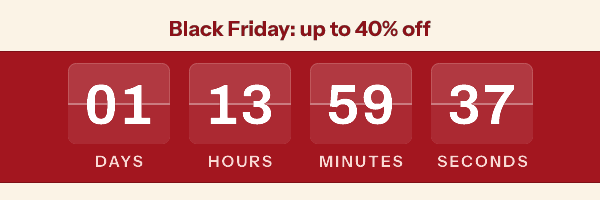
4 hours too many
Fetched when the email landed, before she read it.
Right, as one still frame
Classic Outlook shows the first frame and stops there.
Lifecycle programmes on Braze, Salesforce Marketing Cloud, Iterable or Adobe Campaign send millions of images a month, and someone has to approve the vendor. Agency covers 5,000,000 opens a month and serves images from domains that carry your own name, and the REST API comes with Growth and Agency.
Your security team can read how recipient data is handled, and what an email shows if the image service is down, before anyone signs.
EmailTimer.App is free for 5,000 opens a month, with no card. Starter is $19 a month for 250,000 opens, which on a 50,000 person list is five opens each, and paying annually gives you two months free. Countdown timers and personalized images come on every plan. On Free and Starter one picture serves the whole send; from Growth, a recipient list or the API draws a picture for each subscriber with their own name, code or deadline.
Rupee plans can pay by UPI Autopay, net banking or an Indian card.
$0 a month ₹0 a month
5,000 opens a month
For a first campaign, a small list, or proving the idea works before you ask for budget.
Start free$19 a month ₹1,599 a month
250,000 opens a month
For a store running weekly promotions and a monthly newsletter to a real list.
Choose Starter$49 a month ₹3,999 a month
1,000,000 opens a month
For daily sends and lifecycle flows that keep running while you are asleep.
Choose Growth$149 a month ₹11,999 a month
5,000,000 opens a month
For running a dozen clients from one place, on domains that carry their name.
Choose AgencyPrices exclude tax. Tax is shown at checkout.
A timer from the free generator works for 500 opens without an account, and for 1,000 once you sign in and claim it.
Published starter plans, from NiftyImages' own pricing page. Prices checked on 23 September 2026.
| Plan detail | EmailTimer.App | NiftyImages |
|---|---|---|
| Starting price | $19 a month | $59 a month |
| Opens included | 250,000 opens | 25,000 opens |
| Per 1,000 opens | $0.076 | $2.36 |
Go over your plan mid-campaign and nothing stops. Images keep rendering, we email you at 80 and 100 percent, and only past 110 percent do new renders carry a small watermark. Every plan, side by side
Quick answers here. For the long version, read the complete guide to countdown timers in email or the docs.
One request for your image. A subscriber opens the email, their mail app fetches the countdown, and that is one open. If the same app or a proxy serves the image again from its own cache, you are not charged for it a second time. $19 a month covers 250,000 of them.
It stops being a timer. At 00:00:00 the image becomes the closing graphic you chose before you sent, so somebody opening on Monday morning reads "This offer has ended" instead of staring at a counter stuck on zero. You pick that graphic in the editor and never think about it again.
Nothing stops. Your images keep rendering for the whole send. We email you at 80 percent of your monthly opens and again at 100 percent, and past 110 percent new renders carry a small watermark until you move up a plan. A campaign already in flight always finishes.
Any platform that lets you put an image in an email. Klaviyo, Mailchimp, HubSpot, ActiveCampaign, Salesforce Marketing Cloud, Braze, Iterable, Customer.io, SendGrid, Brevo, Omnisend and Shopify Email each get a snippet with their own merge tag syntax already filled in, so there is nothing to translate.
Classic Outlook on Windows shows only the first frame of an animation, because it draws mail with the Word rendering engine. EmailTimer.App works out the exact time remaining at the moment Outlook asks for the image and bakes it into that first frame, so those subscribers see a correct still countdown rather than a broken one. Outlook on mobile, Outlook on the web and the new Outlook for Windows play the full animation.
No. Design the image in the editor, choose your email platform, copy the snippet, paste it into your template as an image block or an HTML block. If your team does want to generate images in code there is a REST API on the Growth plan, but nobody needs it to send a campaign.
An image in your email that shows the time left until your deadline. A server draws a fresh animated GIF each time a mail app fetches it, so the number is right at that moment, and it ticks a second at a time: 30 frames by default, anywhere from 20 to 60, then it loops. Your email platform shows it like any other image, so any platform that can send a picture can send a countdown.
Yes. Gmail fetches the image when the email is first opened and may show that same copy when it is opened again. Apple Mail, with Mail Privacy Protection on, fetches images when the email arrives, so the count starts from delivery rather than from the moment it is read. With a fixed deadline the offer still ends when you said. If each reader's clock should start with their own email, use a timer that starts at send, on Growth or Agency.
Yes, two ways. The free generator needs no account and gives a timer 500 opens, or 1,000 once you sign in and claim it. The Free plan gives you 5,000 opens a month and three live images at a time, with no card.
Yes. A personalized image draws values from your CRM or recipient list into the picture when it is requested, so one campaign gives every subscriber their own graphic. You choose what happens when a value is missing: a default, or hiding that part of the image. Values for each recipient come from a recipient list or the API, on Growth and Agency.
Not by being a GIF. Google's sender rules are about authentication, spam rates and unsubscribing, and content filters look harder at emails that are mostly image with little text. Keep real text around the timer and keep the file small: the nine styles on this page weigh 16 to 66 kB each as 600 by 200 GIFs of 30 frames.
Put a clock on it that every subscriber can read. The free plan covers 5,000 opens a month and needs no card.

These emails belong to the brands that sent them and are credited to each one. We added our timers to show how they look in real campaigns. Brand owners can ask us to remove their email at privacy@emailtimer.app, and we will do it the same day.